Cost-Saving Recommendations
Here we are showing in which services how much cost you are wasting and how much cost you can save.
Service Recommendations
These are all service recommendations available:
- [EC2]
- [EBS]
- [Load Balancer]
- [RDS]
- [Elastic Cache]
- [MSK]
Page 1: Cost Overview
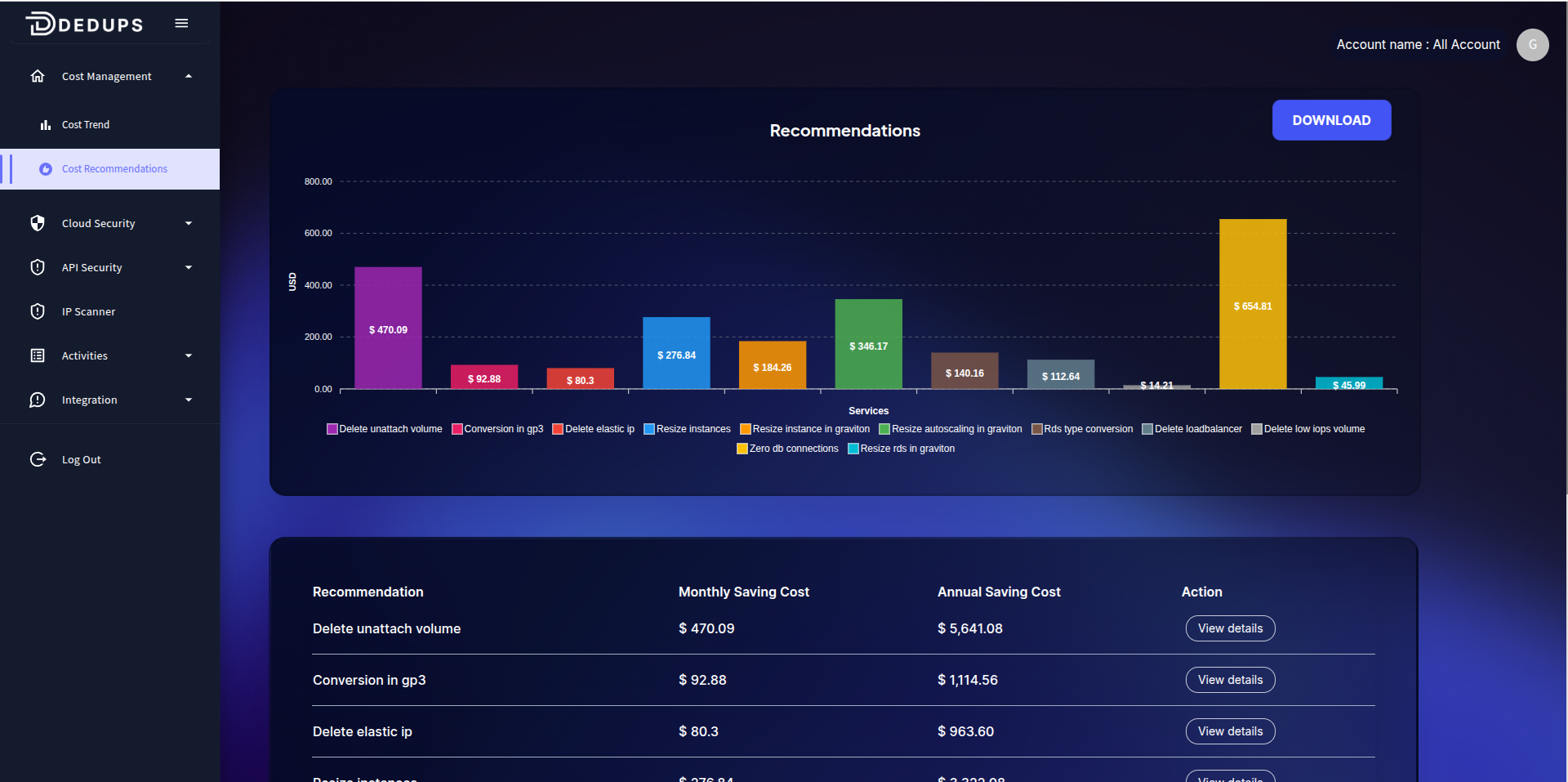
1. Visual Breakdown
-
Bar Chart: Displays various recommendations categorized by type, such as volume deletions, instance resizing, and other optimizations. This visual overview helps identify cost-saving actions quickly.
-
Table Overview:
- Lists specific recommendations, including associated accounts, suggested actions, and the potential savings (both monthly and annually).
- Example actions include deleting unused volumes, resizing instances, or converting resources.
3. Potential Savings
- Financial Impact: Highlights the financial benefits of each recommendation, prioritizing actions that offer the most significant cost reductions.
4. Actionable Insights
- Actions: Allows users to view more details or implement recommendations directly from the dashboard, streamlining the process for efficiency.
Page 2: Service Type Selector
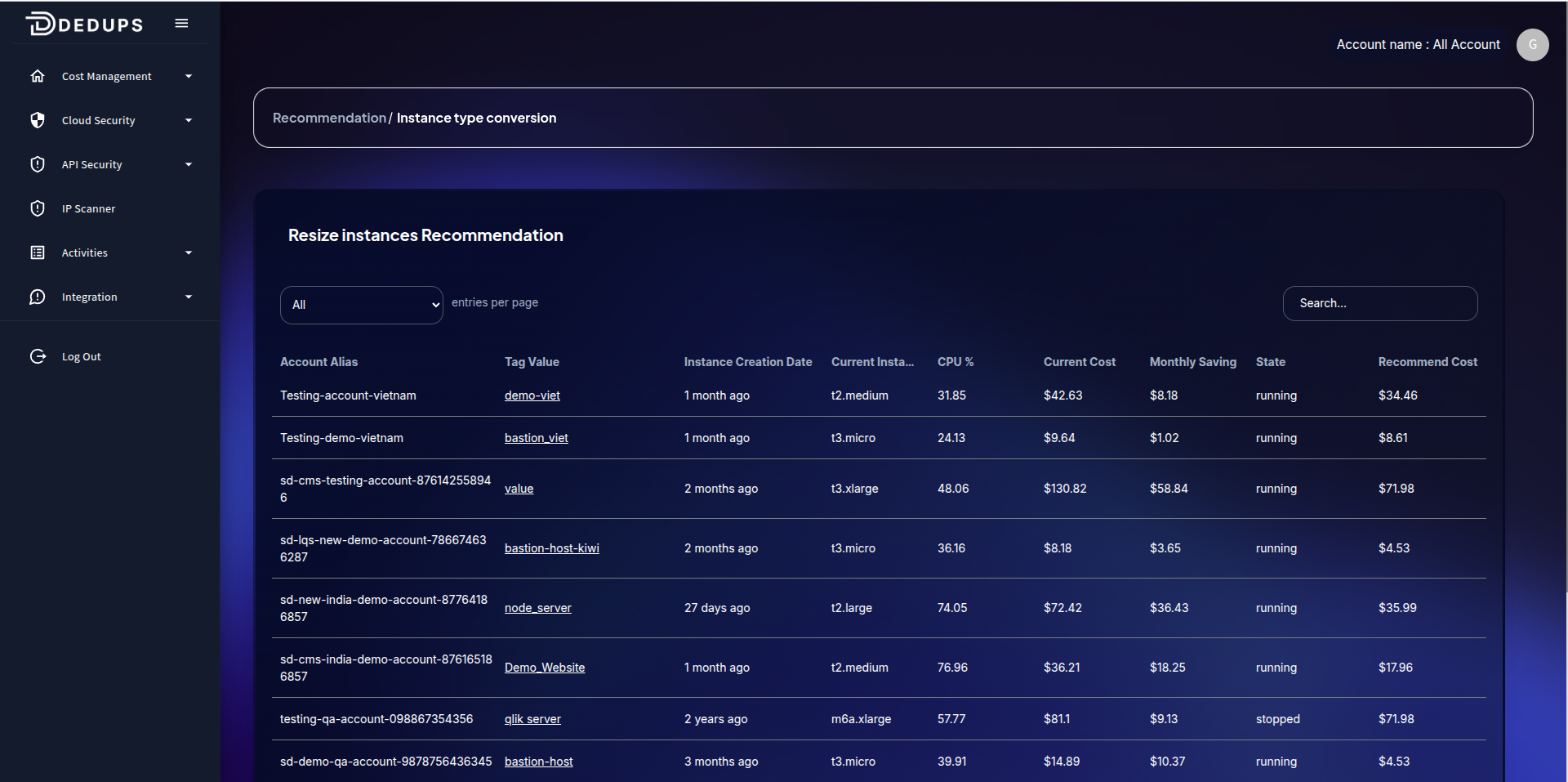
This page allows users to select any AWS service recommendation type (e.g., Resize Instances for EC2, Unused Volumes for EBS, Old AMIs), either from a Bar Chart or Table Overview. Based on the selection, relevant recommendations are fetched and displayed dynamically.
Dynamic Recommendation Type Filtering
- After selecting a service recommendation type, users can further filter based on action types (e.g., Right-Sizing for EC2, Unused Volumes for EBS). This ensures that the displayed recommendations are specific to both the service and action chosen.
Flexible Table Structure
- The table updates dynamically to display relevant columns based on the selected service type. For example:
- EC2: Instance type, CPU utilization %, cost, etc.
- EBS: Volume type, region, savings cost, etc.
- RDS: DB instance type, cost, and savings.
Page 3: Resource Detail
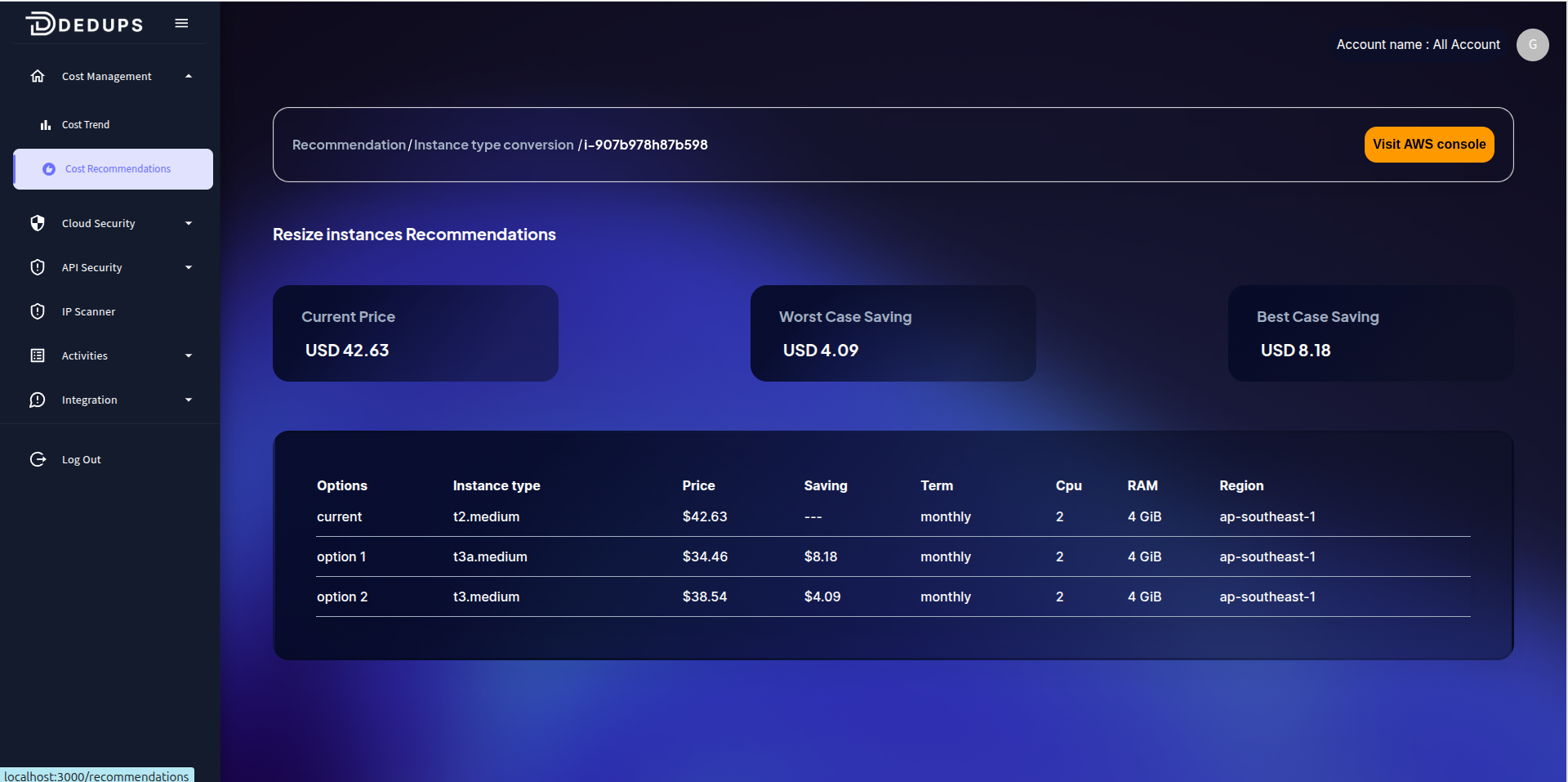
This page provides detailed recommendations for optimizing a selected AWS resource (e.g., EC2 instance, volume, snapshot). The interface includes both recommendation-specific information and supporting CloudWatch metrics, helping users understand why certain recommendations are made.
Key Sections:
-
Recommendation Overview
- Recommendation Type: Indicates the type of recommendation (e.g., Instance type conversion).
- Resource Identifier: Displays the AWS resource ID for which the recommendation applies (e.g., instance_id, volume_id).
-
Current Pricing Information
- Current Price: Shows the current cost of the resource (e.g., USD 30.37).
- Worst Case Saving: The minimum savings achievable by adopting the recommendation (e.g., USD 2.92).
- Best Case Saving: The maximum potential savings (e.g., USD 2.92).
Additional Features:
- Visit AWS Console: A button links directly to the AWS Management Console for the specific resource, allowing users to take immediate action based on the recommendation.