Api Security and Discovery
we are working on Api Security where we are scanning the api endpoints and providing detail what security issue is there. we need you api collection for scanning. we have more options to import api collection.
Add single api
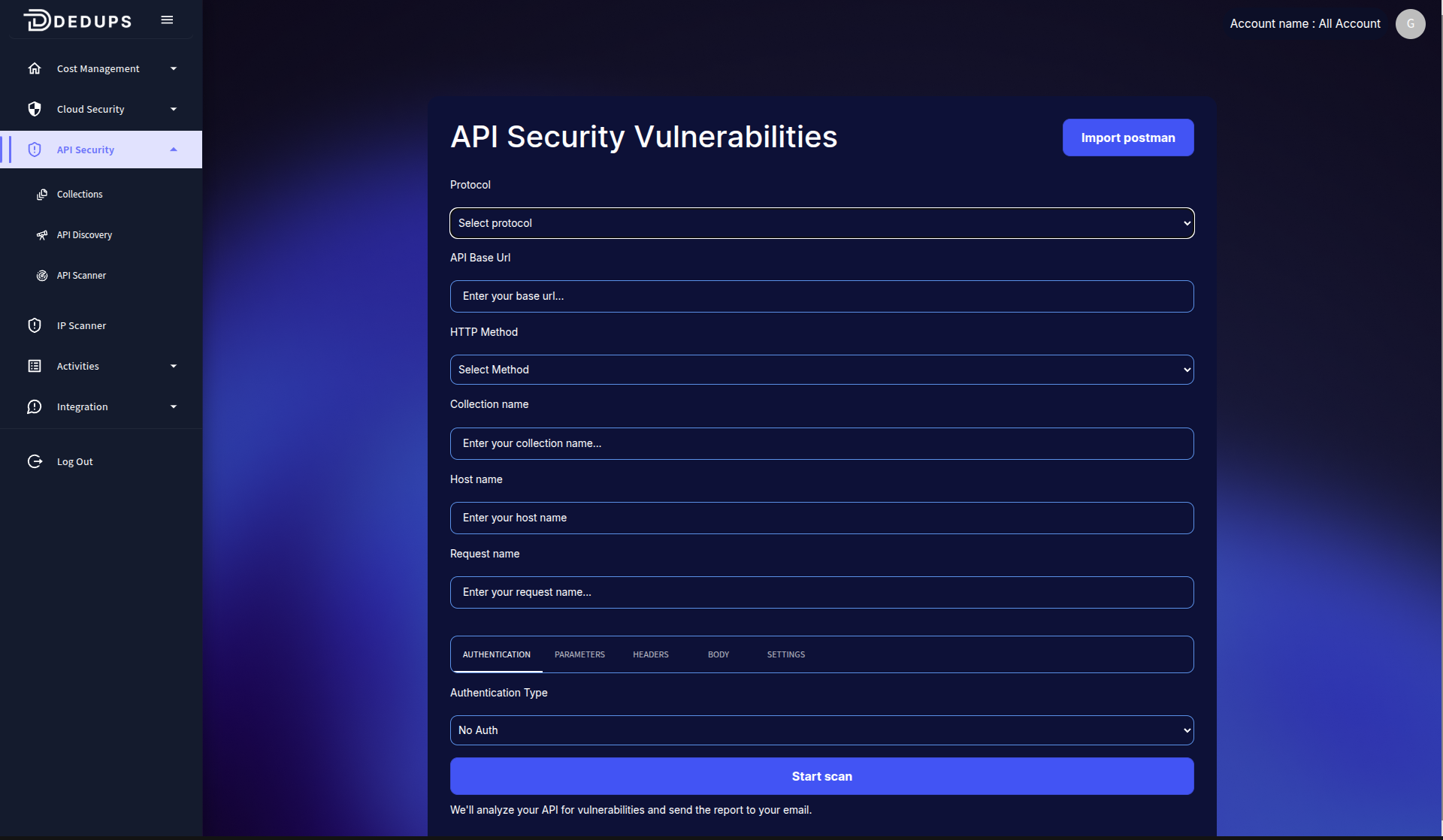
you can add single api by clicking on add api button.
Import Postman Collection
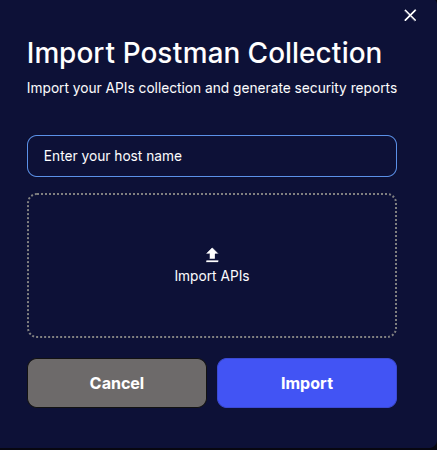
you can import postman collection by clicking on import collection button.
Api Discovery via Nginx
The Api Discovery Agent helps users discover APIs on their Linux servers, enhancing security checks. By installing this agent, customers can securely monitor and assess their API configurations.
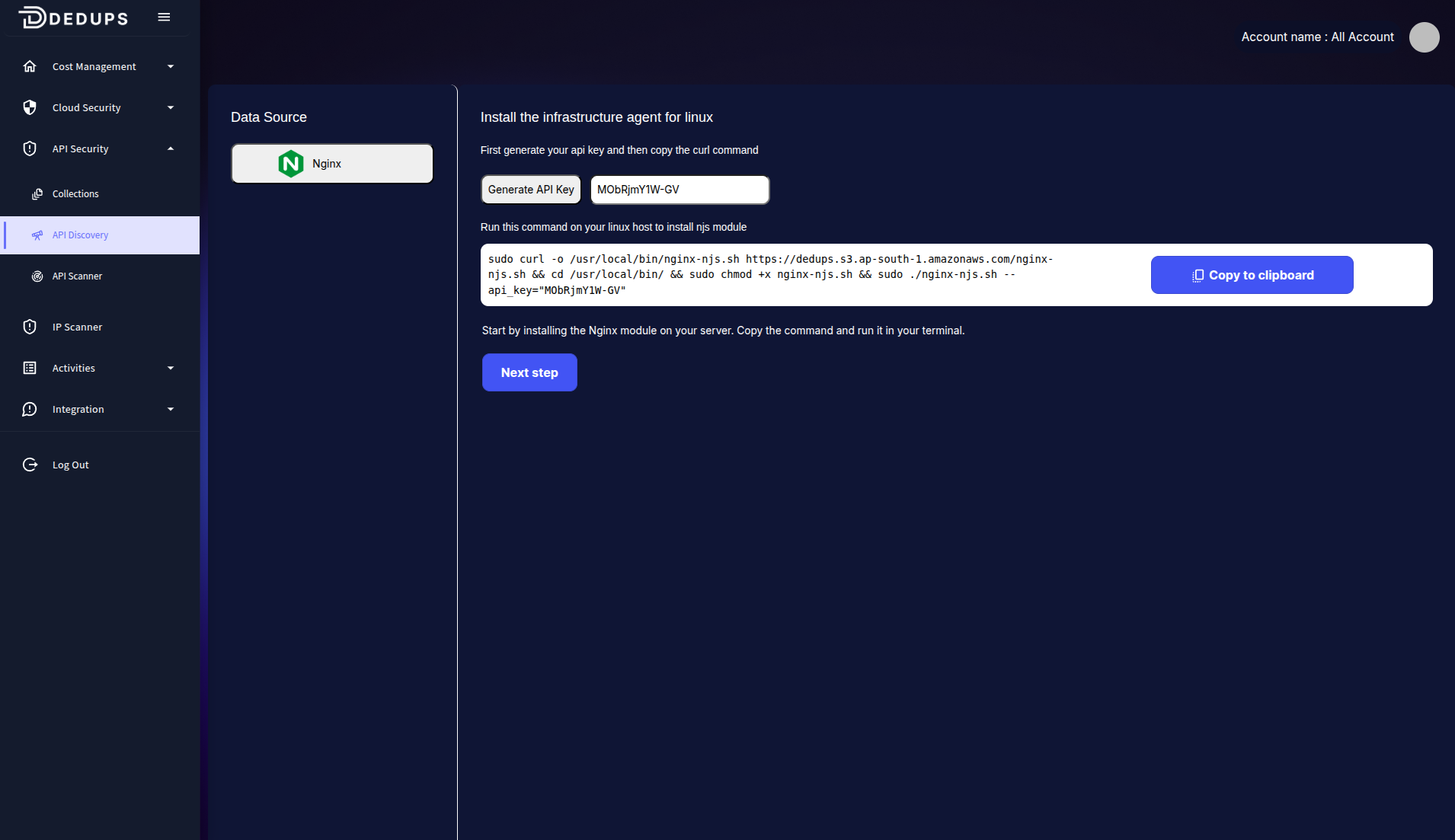
Steps to Install the Api Discovery Agent:
-
Generate API Key:
- Click the Generate API Key button in the product UI.
- Copy the generated API key. This will be used during the installation process.
-
Run the Installation Command:
-
Execute the following command on your Linux server to install the Api Discovery Agent:
sudo curl -o /usr/local/bin/my-script.sh https://example.com/my-script.sh && cd /usr/local/bin/ && sudo chmod +x my-script.sh && sudo ./my-script.sh --api_key="DUMMY_API_KEY"Replace
YOUR_API_KEY_HEREwith the API key you generated in Step 1.
-
Api Collection
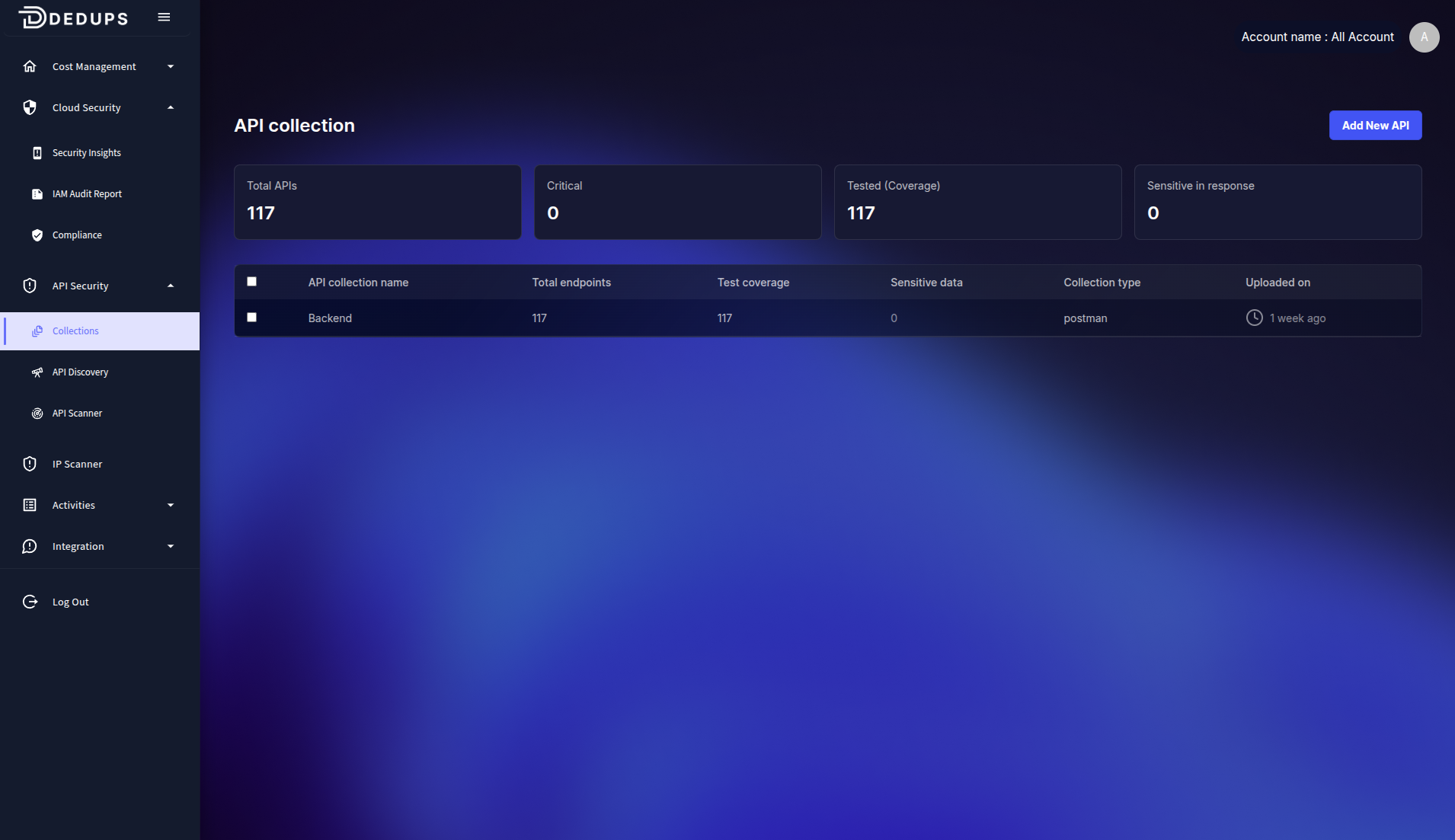
Here we are showing all the api collection that are discovered by our platform.
Detail of Api Collection
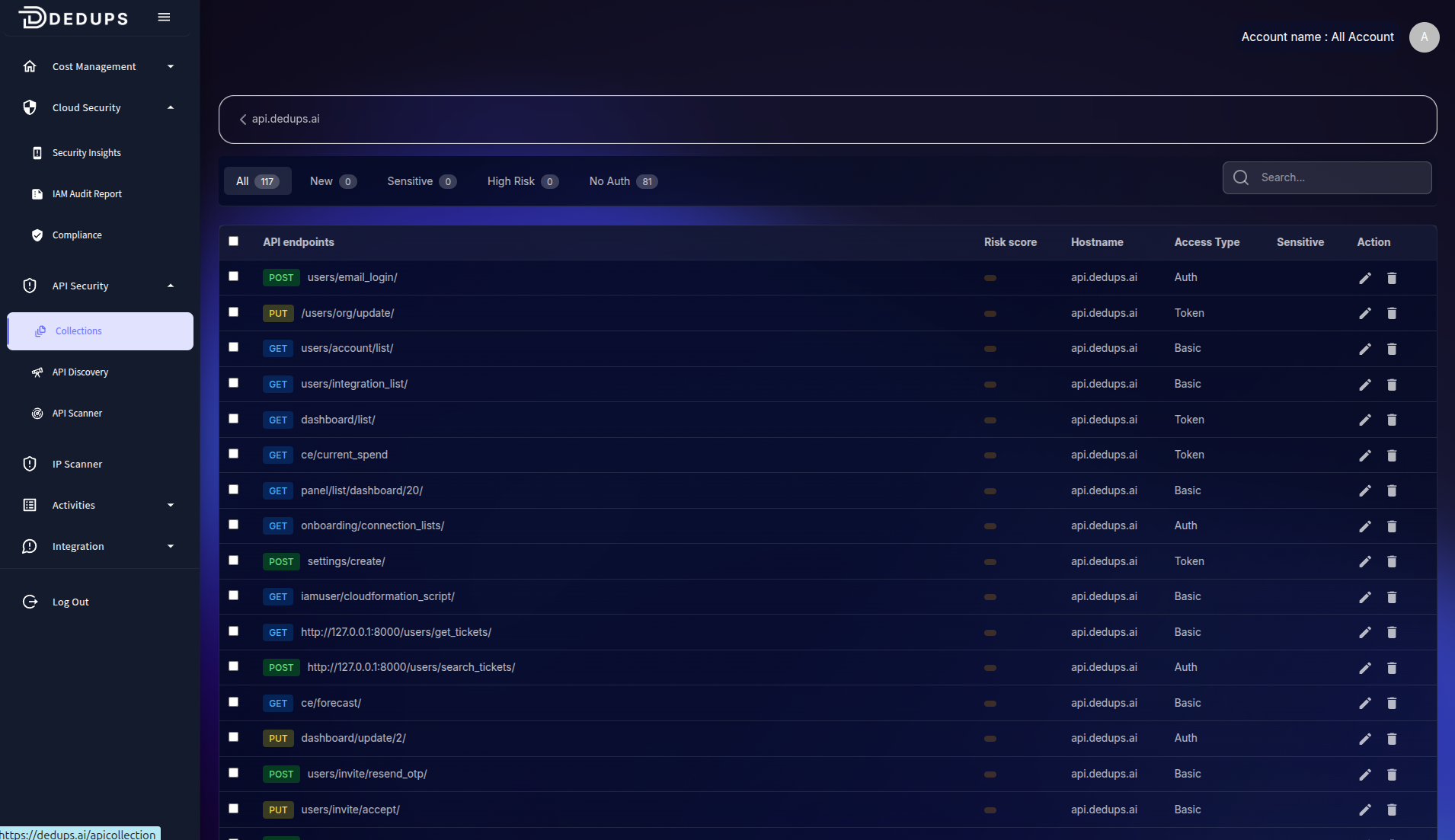
Here we are giving detail of api collection.