How to Scan Public and Private IP Addresses for Vulnerabilities
Most security teams know they need to scan their public-facing IP addresses. What surprises them is how much attack surface sits on private IPs - internal systems that assume they're safe because they're not internet-exposed. When that assumption breaks (through a misconfigured VPN, a compromised endpoint, or a lateral movement technique), internal hosts become the target.
A complete vulnerability scanning program covers both: the internet-facing surface attackers probe from outside, and the internal surface that becomes relevant after an initial foothold.
The Difference Between Public and Private IP Scanning
Public IP scanning focuses on what's visible to the internet - web servers, APIs, load balancers, bastion hosts, and any service inadvertently exposed through misconfigured security groups or firewall rules. This is your external attack surface.
Private IP scanning focuses on internal infrastructure - application servers, databases, internal APIs, workstations, and network devices. This surface matters for two reasons: insider threat scenarios and post-compromise lateral movement.
| Scan Type | Target | Primary Threat | Scanning Method |
|---|---|---|---|
| External / Public IP | Internet-exposed services | Direct attack from internet | External scanner or cloud-based tool |
| Internal / Private IP | Internal hosts and services | Lateral movement, insider threat | Agent-based or internal network scanner |
| Hybrid | Both surfaces | Complete attack chain | Platform like Dedups.ai |
What Vulnerability Scanners Look For
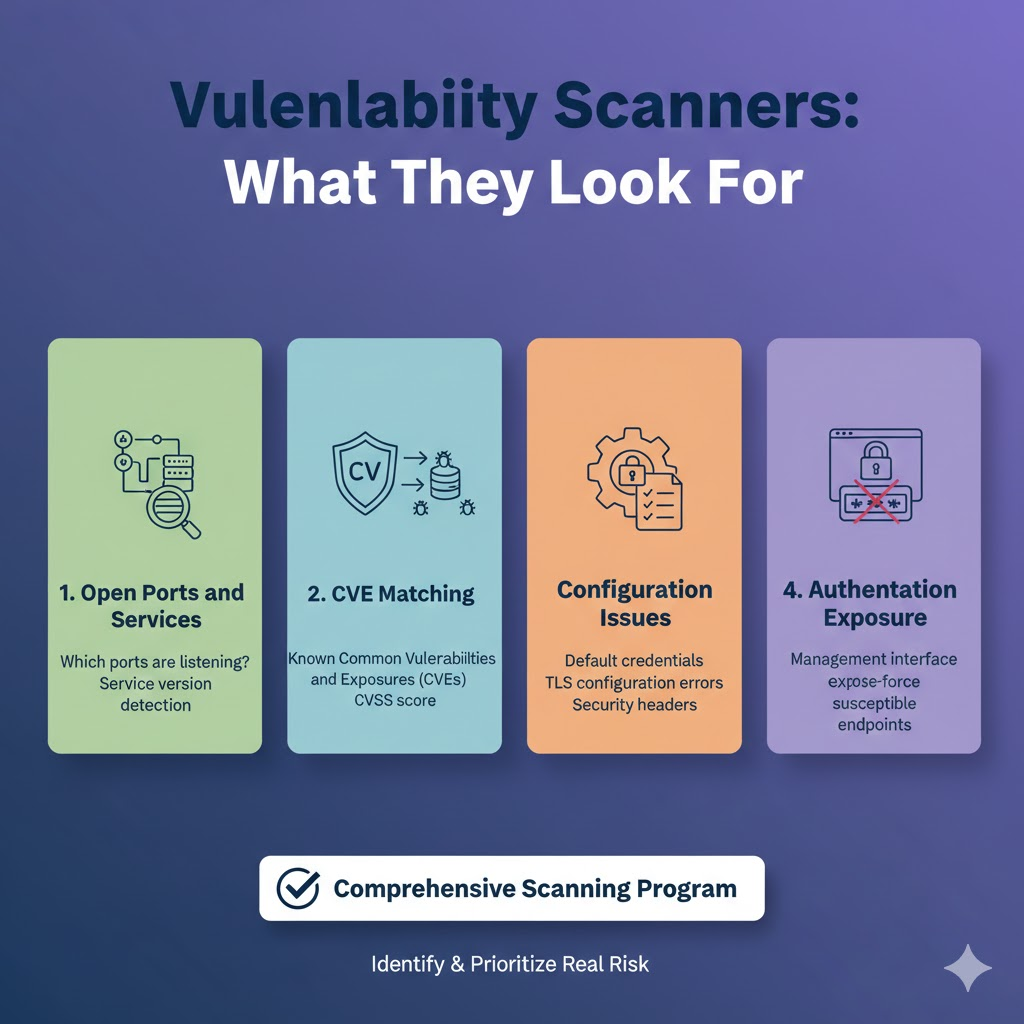
Whether scanning public or private addresses, a quality vulnerability scanner checks for:
Open Ports and Services: Which ports are listening? Are services running on non-standard ports? Is the service version known to be vulnerable?
CVE Matching: Does the detected service version match any known Common Vulnerabilities and Exposures (CVEs)? What's the CVSS score?
Configuration Issues: Is the service using default credentials? Is TLS configured correctly? Are security headers present?
Authentication Exposure: Is the management interface exposed without authentication? Are there login endpoints susceptible to brute force?
Setting Up a Public IP Scan
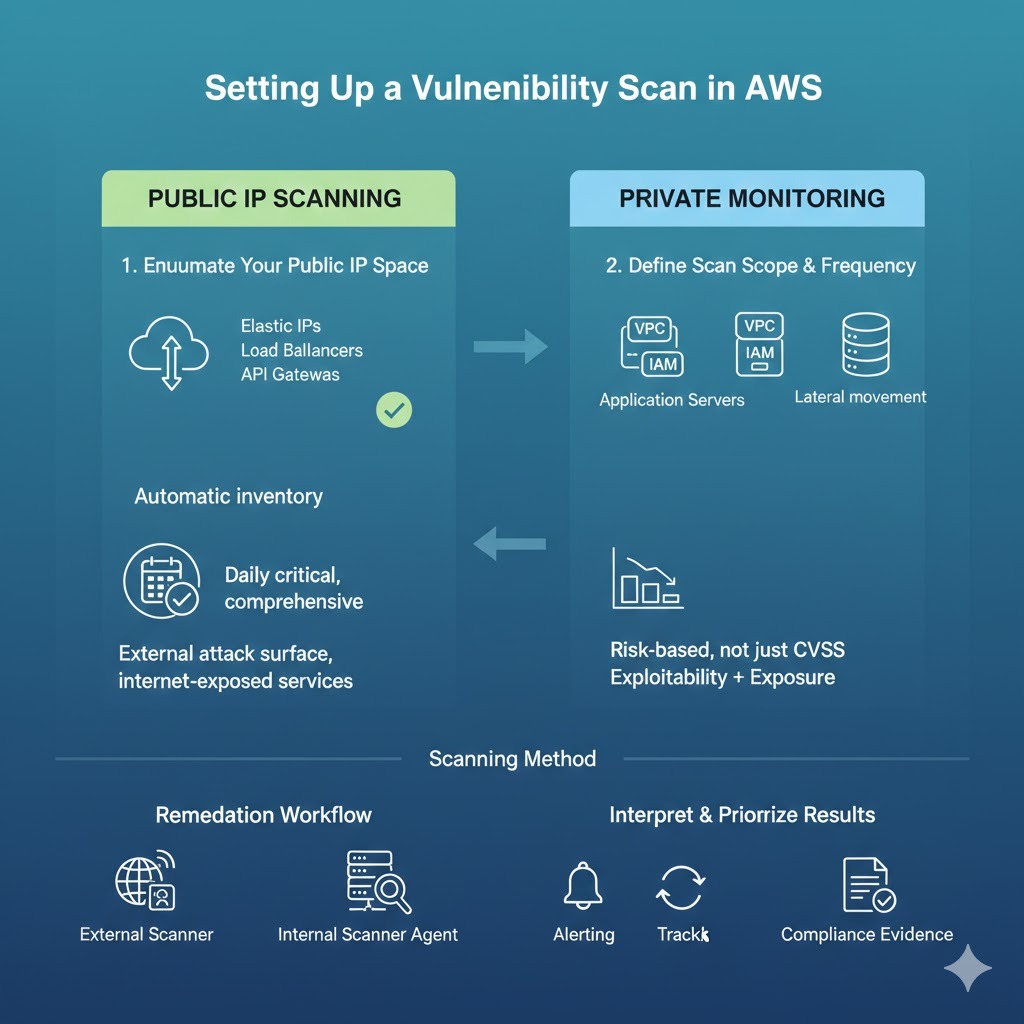
Step 1: Enumerate Your Public IP Space
Before you can scan, you need a complete inventory. For AWS environments, this includes:
- Elastic IP addresses
- EC2 public IP addresses
- Load balancer DNS names
- CloudFront distributions
- API Gateway endpoints
Dedups.ai automatically inventories your AWS resources, so you always have a current list of what's publicly exposed without manually querying the AWS console.
Step 2: Define Scan Scope and Frequency
External scans can be run continuously or on a schedule. For most teams, daily scans of critical public-facing infrastructure with weekly comprehensive scans is a reasonable starting point.
Step 3: Interpret and Prioritize Results
Not all findings are equal. A critical CVE in a service that's only accessible to authenticated internal users is less urgent than a medium-severity finding in a public-facing authentication endpoint. Prioritize based on exploitability, exposure, and business impact - not just CVSS score alone.
Setting Up a Private IP Scan
Internal scanning typically requires either:
- A scanner deployed within your network (or VPC) with access to the target subnet
- Agent-based scanning where a lightweight agent runs on each host
- An AWS-native approach using Systems Manager for EC2 instances
Agent vs. Agentless for Internal Scanning
Agentless scanning sends probes across the network from a central scanner. It's easier to deploy but may miss host-level details like installed software versions. Agent-based scanning runs directly on each host, providing deeper visibility into installed packages, patch status, and local configuration - but requires managing agent deployment.
Dedups.ai takes a hybrid approach: agentless network discovery combined with AWS API calls to gather instance-level metadata without requiring agents on every host.
What to Do With the Results
Discovery without remediation is just a more sophisticated way of knowing you're exposed. When your scan surfaces findings:
-
Triage by risk: Not every finding needs immediate action. Focus on critical and high findings first, particularly those on internet-exposed services.
-
Assign ownership: Every finding needs a team member responsible for it. Unowned findings don't get fixed.
-
Track remediation: Dedups.ai maintains a remediation workflow that tracks each finding from discovery through resolution, with evidence collection for compliance purposes.
-
Verify fixes: After remediating a finding, re-scan to confirm it's been addressed.
The Compliance Dimension
For teams under PCI-DSS, SOC 2, or ISO 27001, regular vulnerability scanning of public and private IP addresses isn't optional - it's a control requirement. Dedups.ai generates timestamped evidence of each scan and its findings, which maps directly to these compliance framework requirements.
Ready to Get Started?
Whether you're scanning your internet-facing infrastructure or your internal network, a complete vulnerability scanning program gives you the visibility to find and fix issues before attackers find them for you. Dedups.ai provides continuous IP vulnerability scanning across both public and private address spaces, with intelligent prioritization and a built-in remediation workflow.